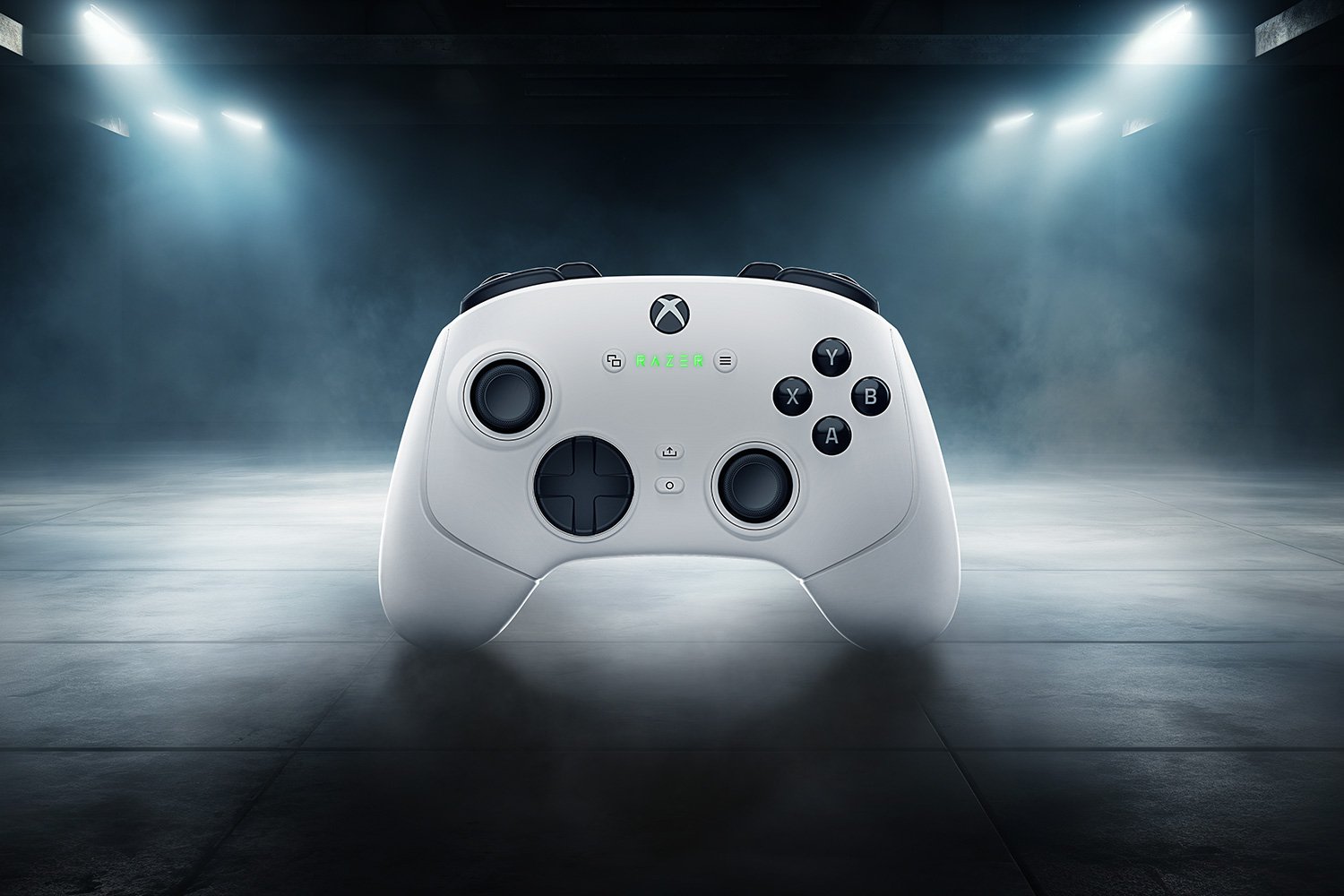
Razer Wolverine V3 Pro Review
Unlocking Hyper-Responsive Gaming Perfo
Imagine squeezing every last drop of speed from your PC setup. The Razer Wolverine V3 Pro 8K changes that game. It drops input lag to levels that feel almost unfair in competitive play. As part of Razer’s top-tier Wolverine line, this wired controller targets pros and hardcore fans who live for esports wins. You get polling rates up to 8000Hz, a huge jump from basic setups. That means your moves register faster than ever. If you’re tired of lag costing you kills, this could be your new best friend.
Core Specifications and the 8K Revolution
Decoding the 8000Hz Polling Rate Advantage

An 8000Hz polling rate means the controller talks to your PC 8000 times each second. Standard controllers stick to about 1000Hz, so they report inputs slower. This Razer Wolverine V3 Pro 8K PC model cuts that delay big time. You notice it in fast games where a split second decides the round.
The real win? Less input lag for moves that need to be spot on. Think frame-perfect dodges or quick shots. Razer pulls this off with a beefy chip inside that keeps things stable, even in long matches. No drops in performance, just pure speed.
Tests show this setup shaves off milliseconds you can’t see but sure feel. It’s like upgrading from a bike to a sports car on the input highway.
Physical Design and Ergonomics Overhaul
This controller feels solid in your hands. It uses tough plastic with textured grips that stop slips during sweaty plays. The matte black finish looks sleek and hides fingerprints well. Compared to older Wolverine models, it’s a bit slimmer but still chunky for big palms.
Ergonomics shine for long sessions. The weight sits balanced, so your wrists don’t ache after hours. It beats out rivals like the Xbox Elite in grip comfort for extended use. You can play marathons without fatigue setting in.
Buttons sit where your fingers land naturally. The overall shape hugs your hands like a custom glove. It’s built for pros who grind daily.
Wired Connection: Why Consistency Trumps Convenience
The 8K mode demands a wired link for rock-solid performance. That USB-C cable locks in the low latency you need. No wireless glitches or battery worries here. It’s all about steady data flow at max speed.
Other modes might offer wireless, but for 8K polling, wired wins every time. You plug in and forget interference issues. That direct line keeps your inputs crisp.
Think of it as a straight shot versus a detour. The cable might limit your spot on the couch, but the speed gain makes up for it. Gamers who chase edges pick this trade-off.
Precision Inputs: The Feel of Victory
Mecha-Tactile Action Buttons and D-Pad Performance
The face buttons click with a sharp, satisfying snap. Each press takes just the right force, not too mushy or stiff. That mecha-tactile feel gives you confidence in every tap. It’s responsive without wearing out your thumbs.
The D-Pad handles eight directions smooth. Great for fighters or platformers where you need exact angles. Users rave about its “clicky” vibe that pins inputs right. No wobble, just control.
In tests, it outperforms basic pads in precision. You pull off combos easier. This setup turns close calls into wins.
Adjustable HyperTrigger (L2/R2) Mechanics
HyperTriggers let you shorten the pull distance on L2 and R2. Locks or software tweaks make it simple to adjust. Shorter travel means quicker aims and fires in shooters. You react before enemies even twitch.
For fast-paced games like FPS titles, set it to minimal pull. That shaves time off your shots. In slower games, go longer for better control. Experiment to match your style.
Here’s a quick tip: For battle royales, lock triggers at half distance. It boosts your ADS speed without losing feel. Pros swear by this tweak.
Customizable Back Paddles and Multi-Function Triggers
Four back paddles sit low and easy to reach. Map them to jumps or reloads via software. Razer Synapse lets you assign combos too. One paddle can now handle a full dodge-roll sequence.
Picture this: In a shooter, remap grenade plus crouch to a single press. No more fumbling fingers. It speeds up your flow in clutch moments.
Paddles feel firm, not floppy. They add layers to your play without clutter. This turns the controller into a personal tool.
Software Integration and Customization Ecosystem
Mastering Razer Synapse for Advanced Configuration
Razer Synapse ties everything together for the Wolverine V3 Pro 8K PC. The dashboard looks clean, with tabs for buttons and sticks. Switch profiles on the fly for different games. Set sensitivity curves to match your aim style.
To activate 8K polling, open Synapse and head to the performance tab. Toggle it on, then check the rate in settings. Run a test to confirm—your PC should see the full 8000Hz.
Macros come easy: Record a sequence, assign it, done. It’s powerful yet simple. You tweak without hassle.
Step 1: Plug in the controller.
Step 2: Launch Synapse and select the device.
Step 3: Enable 8K mode and save.
This setup lets you own your inputs.
Onboard Profiles and Lighting Customization
Save up to five profiles right on the controller. Switch them without software for quick PC hops. Plug in anywhere and your settings load up.
Chroma RGB lights add flair, but they’re more than show. Sync them with other Razer gear for a full setup glow. It pulses with game events, keeping you immersed.
The lights don’t drain performance. They’re subtle, not distracting. You get style that matches function.
Stick Tension Adjustment Mechanism
Swappable stick modules let you pick tension levels. Light for quick flicks, heavy for steady aims. Pop them out and swap—no tools needed.
This change hits aiming hard. Tight tension cuts overshoot in sniping. Loose helps in fast turns for arena games.
Users love how it fits their grip. It’s a small swap with big impact. Test both to find your sweet spot.
Performance Benchmarks and Competitive Viability
Real-World Latency Testing Comparison (8K vs. 1K)
Tech sites clock the 8K mode at under 1ms end-to-end lag. Standard 1000Hz hits around 4-5ms. That’s a clear edge in head-to-heads. Data from reviews backs this up.
In side-by-side tests, 8K users land shots faster. The difference shows in high-frame-rate setups. You feel the snappiness right away.
Numbers don’t lie: For every 1000Hz controller out there, this one pulls ahead by three times the reports.
Ideal Gaming Scenarios for the 8K Controller
FPS games thrive with this speed. Titles like Valorant or CS:GO reward the tiny lag cut. You peek corners before foes react.
Rhythm games or fighters benefit too. Precise timing shines in Street Fighter matches. MOBAs see gains in quick skill shots.
Casual titles? The boost is small. Save it for where seconds count. It’s overkill for story modes.
Durability and Long-Term Reliability Feedback
Early feedback praises the anti-drift sticks. They hold up after months of abuse. Buttons keep their snap, rated for millions of clicks.
The cable takes a beating but stays flexible. No fraying reports yet. It’s built for daily wars.
Owners say it lasts longer than budget pads. Value holds up over time. You invest once, play forever.
Conclusion: Is the Razer Wolverine V3 Pro 8K Worth the Premium Price Tag?
The Razer Wolverine V3 Pro 8K PC packs 8000Hz polling, sharp buttons, and deep tweaks into one wired beast. It slashes lag for those edge-of-your-seat moments. Customization via Synapse makes it yours, while the build handles the grind.
At its price, it’s not for everyone. But if you’re a serious gamer chasing milliseconds, it pays off in wins. The gains in speed and feel justify the cost for pros.
Upgrade if competitive play is your world. Grab one and feel the difference. Your next PB waits.

Leave a Reply